Location sharing has become necessary when meeting your friends, planning your travels, or staying safe. Waze is a well-known navigation app that enables users to share locations easily and conveniently. Do you want to keep other people informed about your live trip progress or arrival time? The app has simple choices to send location using Waze with other users.
What is Waze?
Waze is a free community-based navigation application owned by Google that assists drivers in arriving at their destinations faster and more efficiently. It is not a typical GPS application since it is based on user-generated, real-time data. Users of the Waze application are actively involved in reporting traffic jams, accidents, roadblocks, police positions, cameras, and hazards on the road so that this application can provide the latest alerts and smarter route guidance.
The application constantly studies traffic situations and recalculates routes automatically to assist drivers in saving time and fuel to avoid delays. Waze also provides voice guidance, step-by-step directions, and can connect with music and podcast apps to have a more enjoyable driving experience.
In addition to its navigation, Waze has other valuable social features, including live location sharing, route sharing, and ETA updates, which simplify arranging a trip with friends, family, or workmates. Waze is particularly widespread on day-to-day commutes, long-distance driving, and driving in congested cities due to its real-time accuracy and community engagement.
Waze simplifies the sharing of location when you are on the move. You have the option of sharing your live driving progress or simply your arrival time so that others can track you without having to make frequent calls or text messages.
Send Location
When sending your location on Waze, other people can monitor your live route as you navigate in real time. It automatically updates your location and corrects traffic conditions. Sharing works until your journey is completed, making it convenient and safe to meet, pick someone up, or take a road trip.
Steps
- First, open Waze and start navigating to your destination.
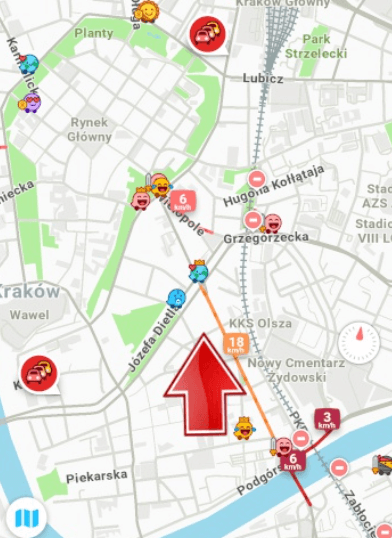
- Next, tap the route bar at the bottom of the screen.
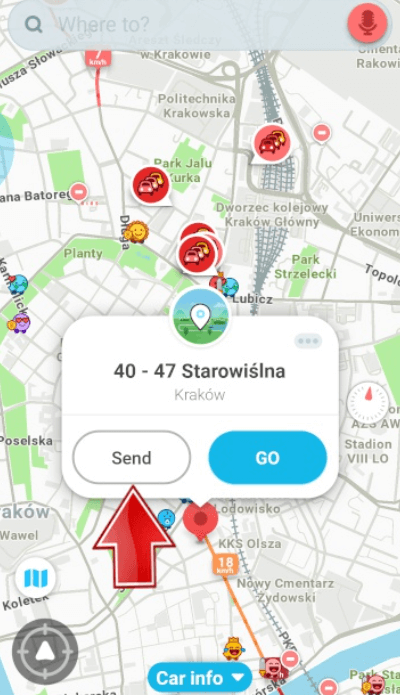
- Then, select the share option and choose a contact or app.
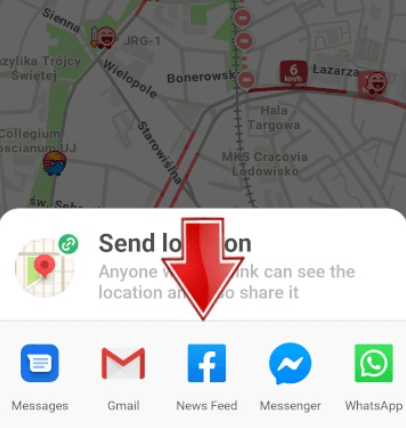
- Finally, send the live location link.
Send ETA
Sharing your ETA on Waze helps others know exactly when you will arrive. The app updates your arrival time automatically based on traffic changes. This option is useful when someone only needs timing updates rather than continuous location tracking.
Steps
- Begin navigation in the Waze app.
- Tap the ETA displayed at the bottom of the screen.
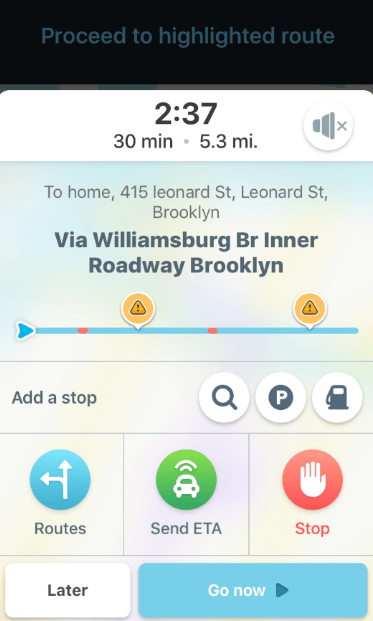
- Choose the option to share your drive or ETA.
- Select a contact and send the arrival time update.
Waze Location Sharing: Advantages and Limitations
The Waze share location feature is useful for active trips, but it has specific strengths and limitations that users should understand before relying on it.
Advantages
- Provides real-time location and ETA updates during active navigation
- Automatically adjusts arrival time based on traffic conditions
- Stops sharing automatically once you reach your destination
- Easy to share via contacts or messaging apps
- No need for third-party tracking tools
Limitations
- Works only when navigation is turned on
- Requires a stable internet connection
- Not suitable for long-term or continuous location sharing
- Limited customization compared to dedicated location-sharing apps
If Waze doesn’t meet your needs, there are other reliable ways to share your location.
Use Google Maps
Google Maps allows live location sharing without starting navigation. You can share your real-time location for a selected duration or indefinitely. It works across Android and iOS, offers high GPS accuracy, and is ideal for staying connected with family or friends throughout the day.
Steps
- First, open Google Maps and tap your profile icon.
- Next, select “Location sharing” and choose a contact.
- Then, set the sharing duration.
- Finally, confirm to start sharing your live location.
Location by Phone Number
Services like Cellphone Location allow users to type in phone number and find location via a link in SMS, with consent. These tools rely on GPS, carrier and network data to show location details. Once clicked, your loved ones’ location will be sent and displayed on a map. It is as precise as GPS-based apps, and they can be useful when you don’t have access to navigation or messaging apps.
Steps
- Start by opening the Cellphone Location website.
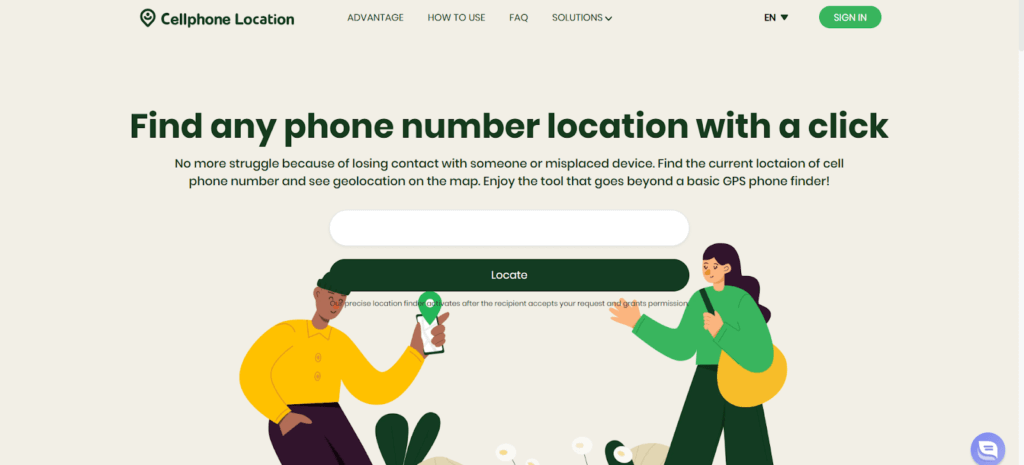
- Enter the phone number with the correct country code.

- Submit the request and then enter your email address.
- After consent, review the estimated location shown on the map.
With WhatsApp Location Sharing
WhatsApp location sharing lets you send either a static location or live location in real time. It is simple, widely used, and works well for short-term tracking. You can control how long your live location is visible and stop sharing at any time.
Steps
- Open a WhatsApp chat with the contact.
- Tap the attachment icon and select “Location.”
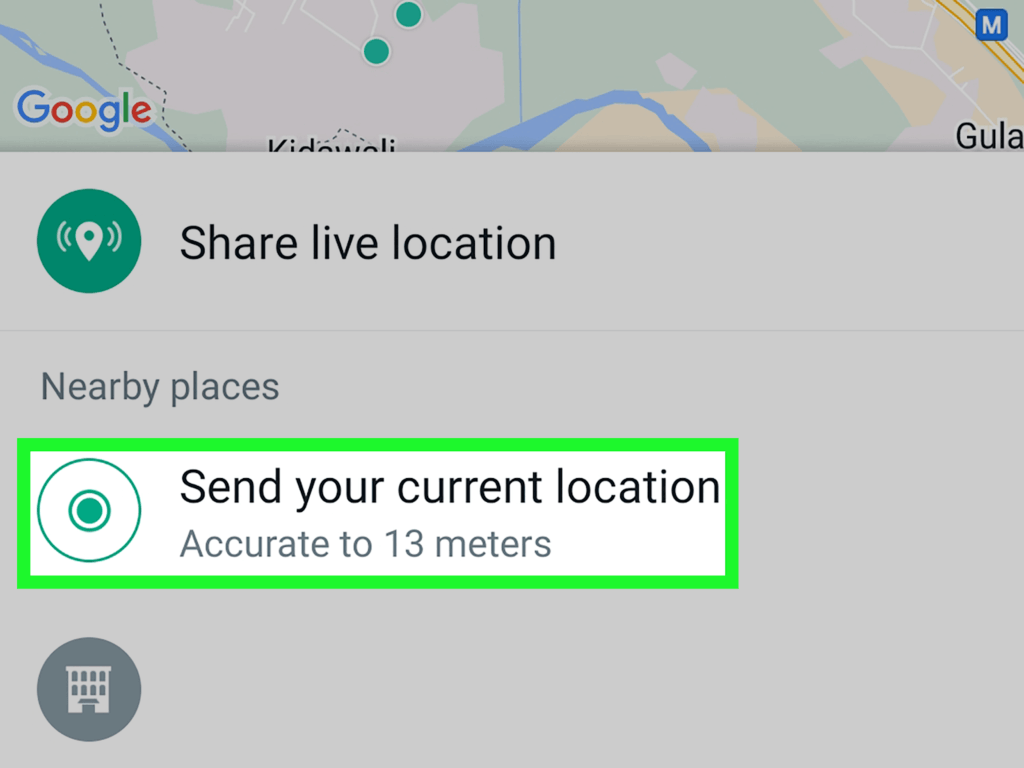
- Choose “Share live location” and set the duration.
- Confirm to start sharing your real-time location.
FAQ
- How do I share a route with someone?
Start navigation in Waze, tap the route bar, select the share option, and send the live drive link so the recipient can follow your route.
- How to make a QR code for Waze location?
Waze does not currently generate QR codes directly. However, you can share the location link and convert it into a QR code using a third-party QR generator.
- How to share Waze location on WhatsApp?
While navigating in Waze, select “Share drive” and choose WhatsApp from the sharing options. The live tracking link will be sent in the chat.
Conclusion
Waze makes sharing your location or ETA quick and practical, especially during active trips. While it has some limitations, it’s a great option for drivers who want real-time updates. If needed, alternatives like Google Maps, WhatsApp, or phone-number-based tools provide flexible location-sharing options for different situations.
 English
  Portuguese