When you lose your phone, it can be distressing and overwhelming, especially when it contains personal information, contacts, and memories. Luckily, you can find your lost phone with your phone number or linked accounts in a number of ways.
This guide details concrete and realistic techniques you can attempt to practice right now, if you’re wondering “where’s my phone”, and hints at how you can avoid loss in the future.
Can I Find My Phone by Phone Number?
Yes, you can find a phone by number, but only to a certain degree; it is not always accurate. Phone numbers do not give the exact GPS positions to the general population because of the laws of privacy. Some Internet tools, locator applications, and reverse look-up services can, however, approximate the region or last-known network address of the device.
This is most effective when the phone is not turned off, when it is connected to a network, and when it is allowed to locate it. Linked accounts tend to be more dependable in case of actual real-time tracking.
How to Find My Phone by Number
When you have lost your phone, but it is still on a network, tools based on phone numbers can help you refine the location or give recent activity associated with the specified phone number.
Use Online Phone Number Locator
Platforms like Cellphone Location help to find phone by number and estimate the location based on GPS, carrier and network data. It is compatible with iPhone and Android, and with a variety of carriers on a global scale. Once located, it will display the current or last known geolocation on a map and does not require installing an app.
Steps
- Open the website.
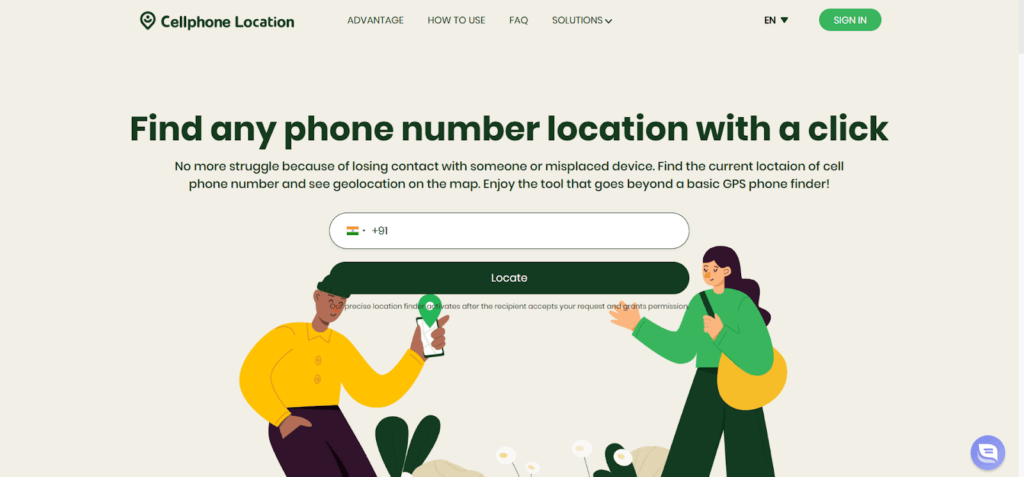
- Next, enter your phone number along with the correct country code in the search field.
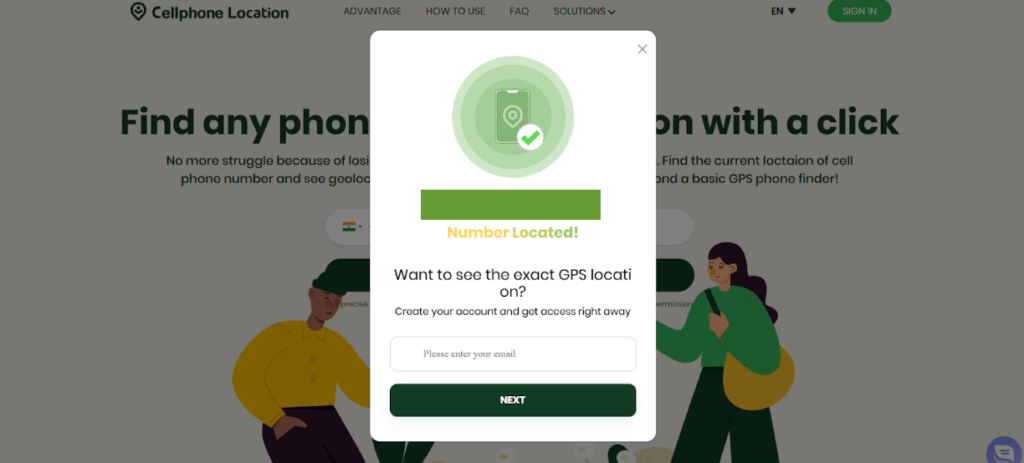
- Then, submit the email address to start the location process.
- Finally, view the estimated phone location displayed on the map once the process is complete.
Via Locator App
Apps like iMapp allow number-based device tracking with permissions. Locator applications are based on installed software and user permissions. When configured, they give real-time or most recent location information, movement history, and notifications. These applications can be used in families or on personal devices, and they provide increased accuracy compared to web-based number trackers.
Steps
- Begin by installing the locator app on both your phone and the secondary device you will use for tracking.
- After installation, register your phone number within the app.

- Then, grant all required location and tracking permissions when prompted.
- Once setup is complete, check the live or last-known location directly inside the app.
Reverse Lookup Service
Reverse phone number lookup services like Truecaller help verify number details. It aimed at identifying phone numbers, but not tracing them in real time. They show registered names, carrier details, and regional details. They are useful in verifying the ownership or the last known location, but they cannot offer real-time tracking of the phone location.
Steps
- Start by visiting the reverse phone number lookup website.
- Enter the phone number you want to check in the search bar.
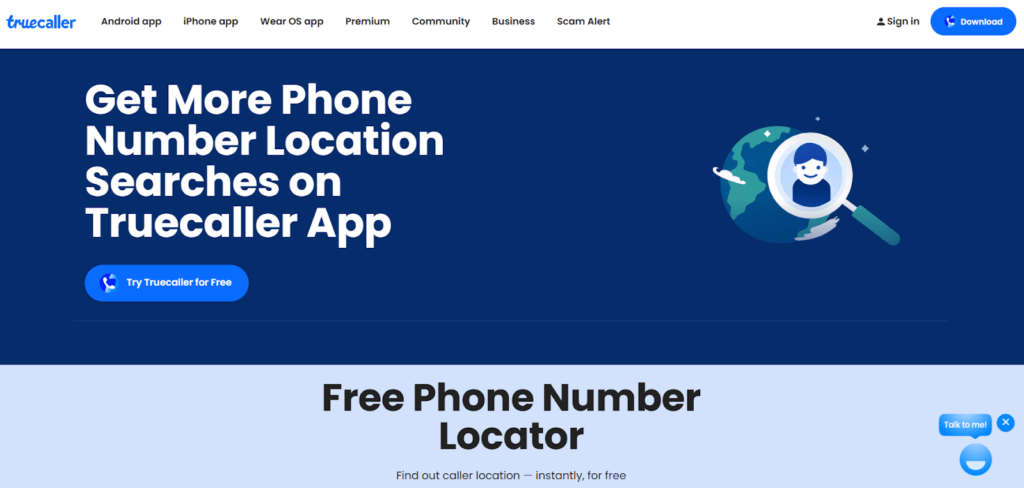
- Sign in or create an account if the service asks for verification.
- Afterward, review the available region, carrier, and caller information linked to the number.
How to Find My Phone with Linked Accounts?
Linked accounts offer the most accurate way to locate a lost phone, as they use GPS, Wi-Fi, and device-level security features built into your smartphone.
Google Find My Device
Google Find My Device tracks Android phones using GPS, Wi-Fi, and mobile data. It shows real-time or last-known location and lets you ring the phone, lock it, display a message, or erase data remotely for added security. You can also see battery status, network connection, and the time the device was last active.
Steps
- Visit Find My Device website
- Sign in with your Google account.
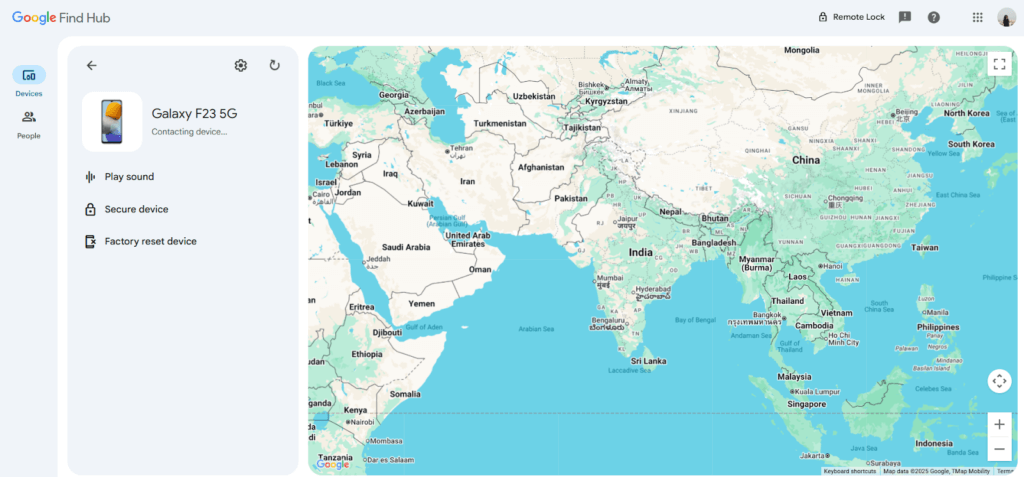
- Select the missing device
- View location or take action
iCloud Find Devices
iCloud Find Devices helps locate Apple devices using GPS and Apple’s secure network. It can even detect offline devices through nearby Apple products. Users can play a sound, activate Lost Mode, or remotely erase data to protect privacy. It also shows the device’s last update time and helps recover lost accessories linked to your Apple ID.
Steps
- Go to iCloud
- Log in with Apple ID

- Open Find Devices
- Locate, lock, or erase phone
SmartThings Find
SmartThings Find uses Samsung’s ecosystem to locate Galaxy devices. It combines GPS, Wi-Fi, and nearby Samsung devices for encrypted location updates. The feature works even when the phone is offline and allows remote locking or data protection. You can view location history, ring the device, and secure sensitive information from your Samsung account.
Steps
- Open the SmartThings app or website
- Sign in to your Samsung account

- Select your device
- Check its location on the map
Tips to Prevent Future Loss of My Device
Prevention is easier than recovery. Setting up basic security and tracking features ensures you can locate your phone quickly if it ever goes missing again.
- Enable in-built device tracking
Always keep Google Find My Device, iCloud Find Devices, or SmartThings Find enabled. These tools work silently in the background and provide the fastest, most accurate way to locate your phone during emergencies.
- Know your phone’s IMEI number
Your IMEI is a unique device identifier. Save it separately so you can report your phone as lost or blocked through your carrier if it’s stolen.
- SIM PIN setup
Activating a SIM PIN prevents unauthorized access. Even if someone removes your phone, they won’t be able to use your SIM or receive sensitive messages.
FAQ
- How can I locate my phone from another phone?
You can use a browser on another phone to access Google Find My Device, iCloud Find Devices, or SmartThings Find by signing into your linked account.
- Can your phone location be tracked if your phone is off?
If the phone is completely powered off, real-time tracking isn’t possible. However, you may still see its last-known location.
- Can Bluetooth be used to track my phone?
Bluetooth tracking works only over short distances and mainly with accessories like AirTags or Galaxy SmartTags, not standalone phones.
- What if the SIM card is removed?
Removing the SIM limits number-based tracking, but account-based services may still locate the phone using Wi-Fi or nearby devices.
Conclusion
You can easily locate my phone by its number. It is possible, but it comes with limitations. For the best results, rely on linked account tools like Google, iCloud, or Samsung services. Combining these methods with preventive measures ensures you stay prepared and can recover your device quickly if it goes missing.
 English
  Portuguese