You can find someone’s social media accounts by their phone number using a variety of lookup tools that piece together their online digital footprint. Of course, you can start your search directly on social media platforms like Facebook, Twitter, and Instagram. But these tools don’t always yield the best results. Whether you’re reconnecting with old friends or leaning in to your detective skills, this guide is for you. Here, we will walk you through the most effective methods for looking up a social media account by phone number.
There are so many reasons you could want to look up a social media account by phone number. But you should only do so legitimately. Here are scenarios where it’s perfectly legal to find insights about someone’s social media presence.
- Reconnect with old friends or family
You can check out a phone number from an old contact list to find out what’s happening with them and perhaps seek an opportunity that could make things less awkward when you reconnect.
- Verify identities
If you want to meet someone from a dating app or transact on an online marketplace, you need to make sure their social profiles match the identity they presented.
- Background check
You can look up a new acquaintance for safety or other reasons. Checking out their social media might help you understand their values, opinions, and more.
- Expand professional network
Finding their LinkedIn or Twitter profile via phone number can help forge professional connections.
Now let’s talk about the different ways to compile information about their social media accounts, from manual screening to automated services. Let’s talk about the other websites where you can find accounts with phone numbers.
Use reverse phone lookup
Reverse phone lookup tools are specialized websites that provide information about a phone number. These tools screen millions of databases and return valuable insights alongside their social media profiles.
Numlookup
NumLookup is a user-friendly tool that lets you look up information that might offer valuable insights into their location and carrier. NumLookup can also help cross-reference the number against different platforms to find connected accounts. You’ll also love that it’s free to use and requires no registration. However, there aren’t many phone numbers or database access on the platform.
Here’s how it works:
- Go to NumLookup and enter the phone number
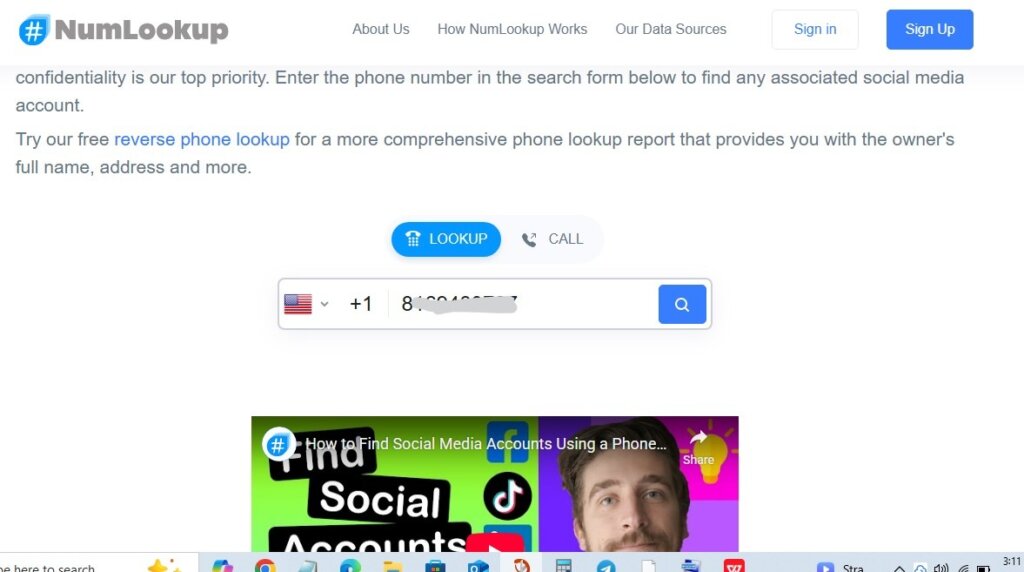
- Hit the search button.
- Wait for the report to be generated. Then you can download it.
Cellphone Location
CellPhone Location offers a comprehensive reverse phone lookup. This web-based platform uses proprietary technology to scan billions of records for any connections associated with the phone number. You’ll find their social media user names, profiles, addresses, and more. Anywhere that phone number has been linked to a social media profile, there’s an excellent chance CellPhone Location will find it. To use this lookup:
- Go to CellPhone Location
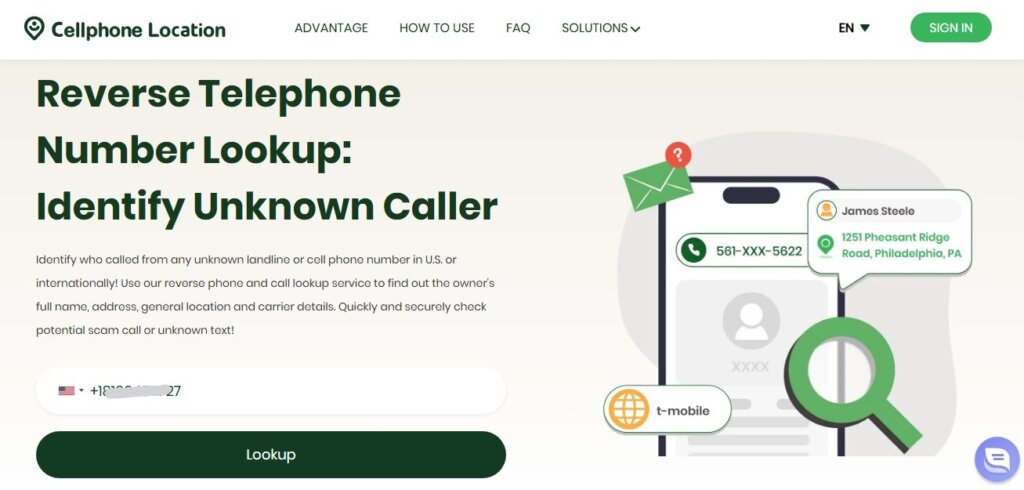
- Wait for the research to commence.
- Enter your email address.
Use the Google search engine
You can also use Google search to find as many details as possible about that person. You may not find their profiles on Facebook, Instagram or LinkedIn using their phone number if they did not list it publicly. However, you could still uncover other websites, forums, and more where they might have used it. To do this:
- Enter the phone number, including the country code, into Google.
- Consider adding dashes and parentheses to force an exact match. For example: “+1 (555) 123-4567.
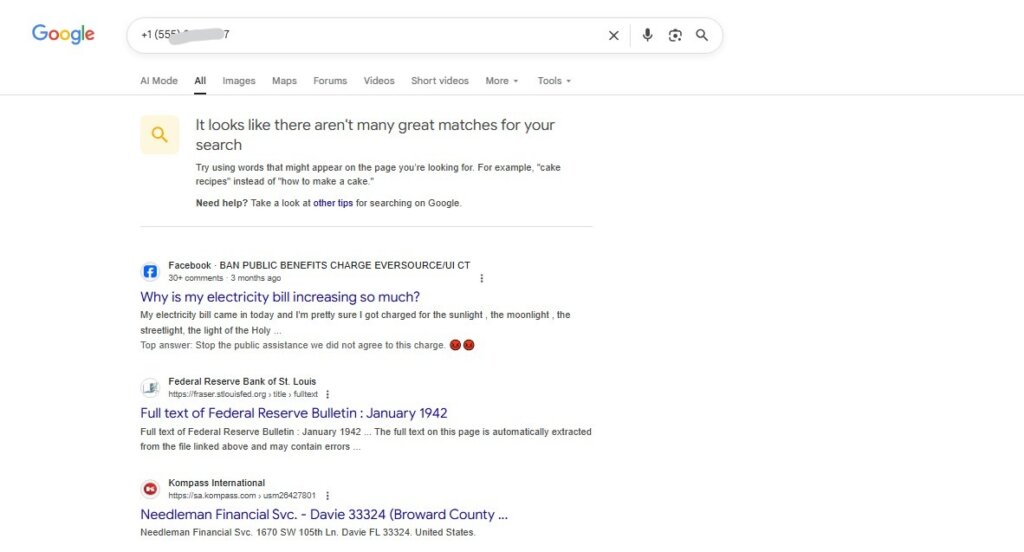
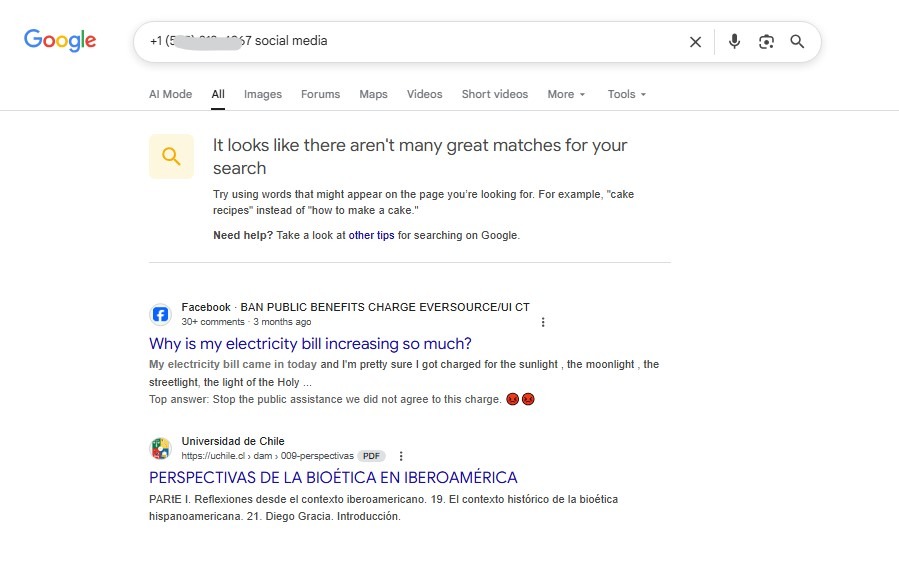
- You can further narrow your search using keywords like “social media” or “profile”.
Use the login or account recovery feature
Most social media platforms use your phone number to help you log in or recover your account. You can also use this as a clever way to find the username or display name associated with that social media account. It’s a fantastic practice for apps like Facebook, Instagram, or X (Twitter). Here’s how it works using Facebook as an example:
- Go to the Facebook website on a browser.
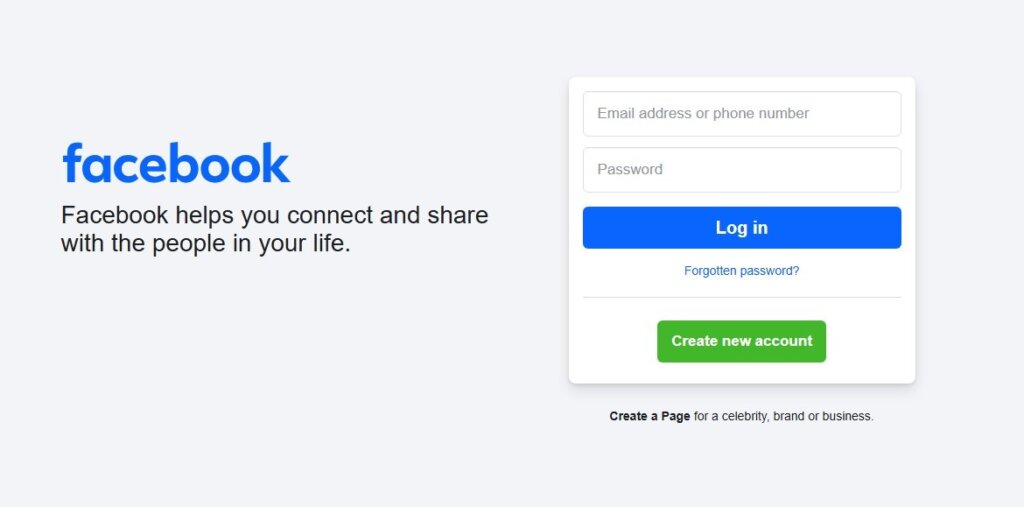
- Hit the “Forgotten password” button.
- Enter the phone number you have.
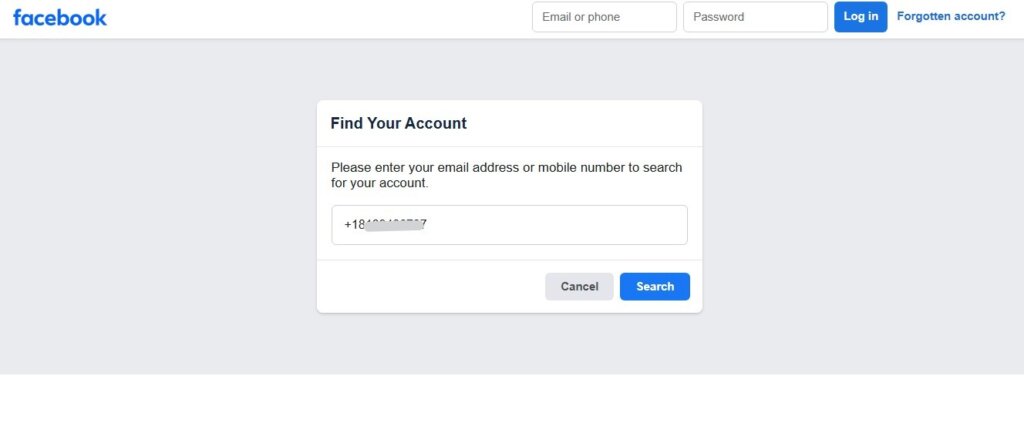
- In the case of Facebook, you might get hints at their email and username.
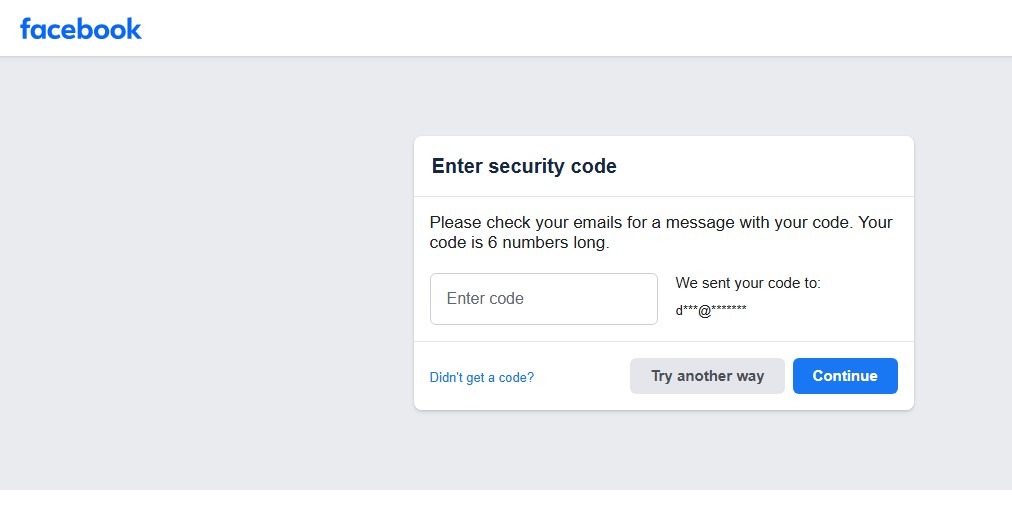
- Note that this method won’t find their account, but will help you confirm its existence.
Sync contacts
This is one of the easiest ways to find social media by phone number. You’ll also like that it works within the apps. Platforms like Facebook, Instagram, Snapchat, and LinkedIn all have the “Discover People” and “Sync Contacts” features. Specifically, they work together, and the idea is to help find people already in your phone book. So, the app scans your phone’s address book and shows you which of your contacts are already on the platform. That said, note that it won’t work for private accounts. Also, the person needs to have voluntarily listed the same phone number in their profile’s contact information. Here are the steps to use it on Facebook:
- Store the phone number in your phone’s address book.
- Open the Facebook app and go to “Menu.”

- Next, select “Settings & Privacy.”
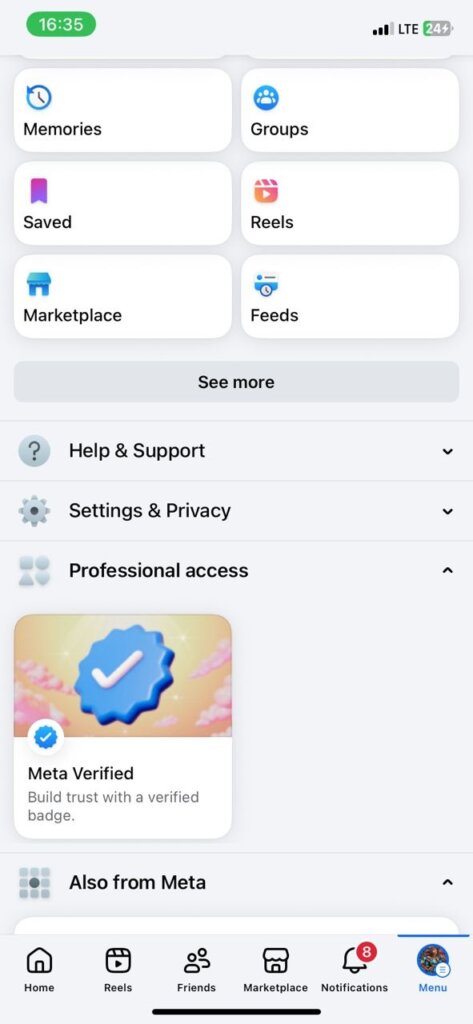
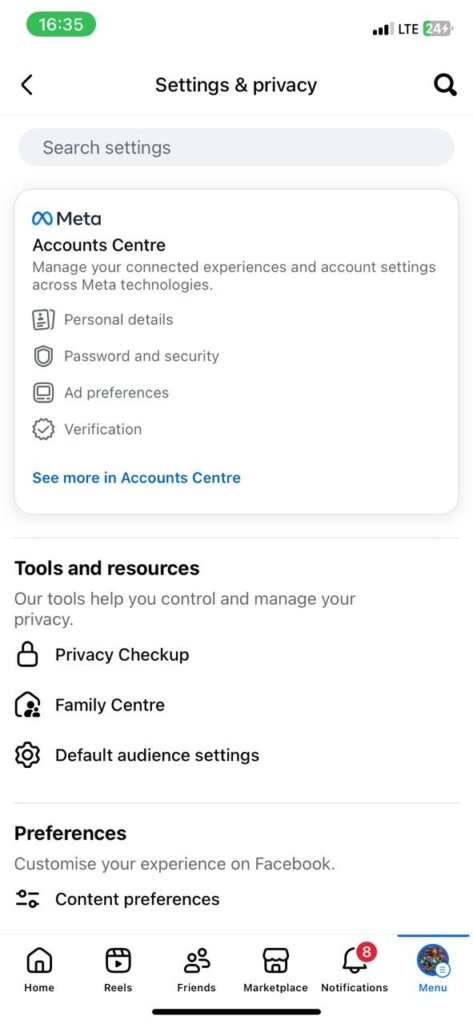
- Go to “Settings”
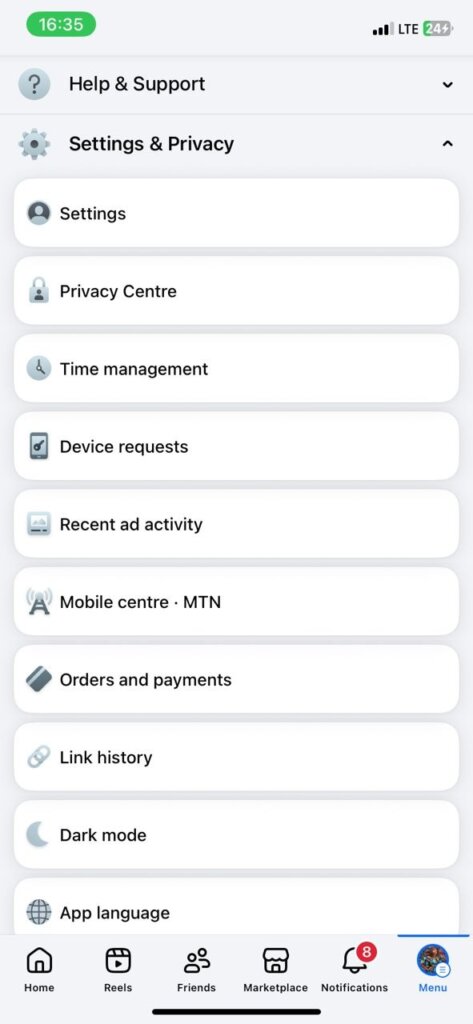
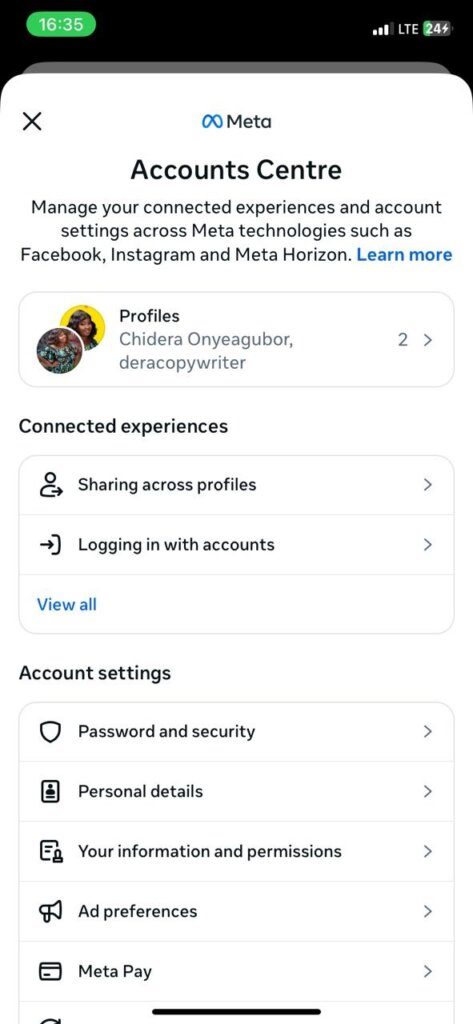
- Finally, go to the “Account Center.”
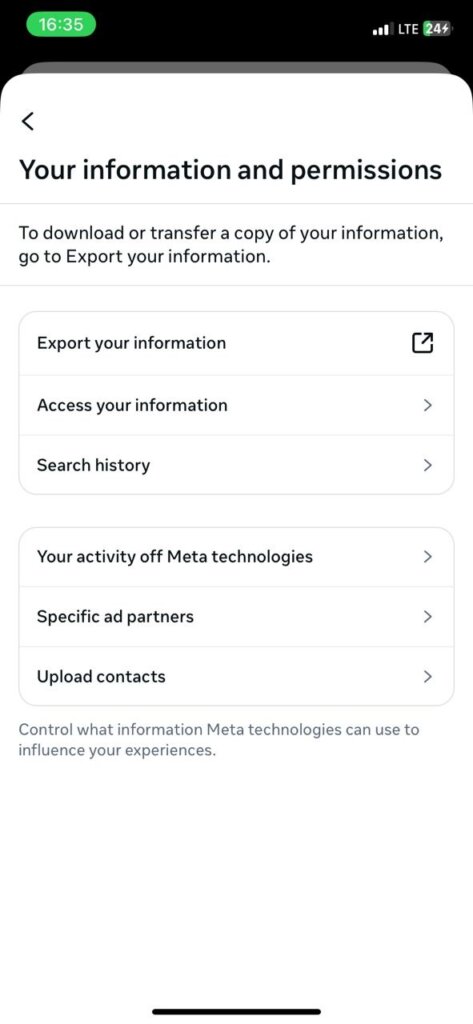
- Under “Information and permissions.
- Select “Upload Contacts”.
- Once done, go back to your Facebook page and go to the “Friends Section.”
- Scroll down to the “People You May Know” section.
Pipl is a deep web search engine that provides a complete picture of digital identities. This tool can help you distinguish between real and fake identities. When you look up a social media account by phone number, Pipl does the job for you. Here you’ll find a collection of associated profiles, names, and other publicly accessible data in one report. That said, Pipl is not accessible to the average person. To use Pipl, you must be either an online marketplace, content provider, payments provider, or a member of a fraud investigation team. People search platforms also connect to Pipl to offer information to their customers. To use Pipl, you need to contact sales to begin.

Check public records
Many lookup tools link directly to the various public records across the internet. So, you can use them on your own to find as much information as possible. Note that many of these platforms won’t directly link to the social media account, but they will see the name associated with it. Then you can use that information to perform a direct search on social networks. Here are some ideas for public records to check:
- Business license registration platforms.
- Vital records run by state and county-level health departments or clerk offices, where you can find birth, death, and marriage certificates.
- Court records are usually kept at state, local, or federal courts.
- County assessor or auditor offices for information about deeds, liens, and property tax payments.
- Business and licensing records.
- Historical records.
Install Moriarty Project
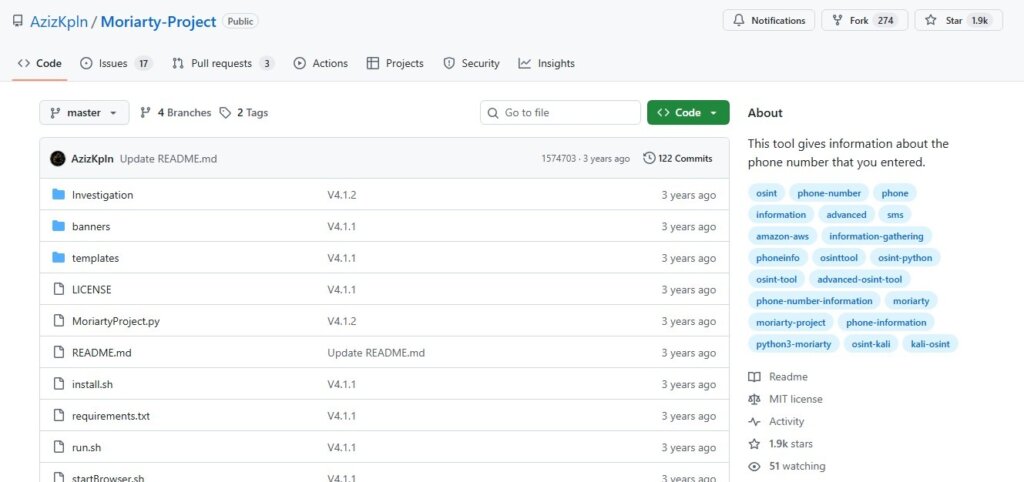
The Moriarty Project is an open-source OSINT tool for finding social media accounts connected to phone numbers. However, it requires some technical know-how to use. Plus, it would live on your computer.
Here are the steps to get started using the Moriarty Project:
- Clone the Moriarty repository on GitHub.
- Navigate to the directory cd Moriarty-Project.
- Download and install the Moriarty Project on your computer using the provided installer.sh script.
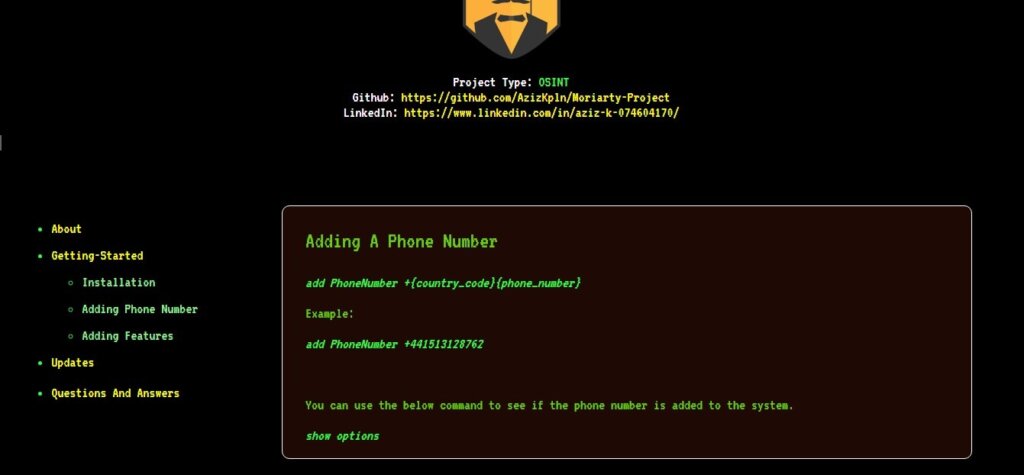
- Run the run—sh script to get started.
- Once you’re in the Moriarty window, you can add the phone number to jumpstart the investigation.
Despite your best efforts, sometimes you might not find the social media accounts you’re looking for. Don’t forget that you can increase your chances by using different websites to find accounts with the phone number. Not all of these websites have access to the same data. Here are some reasons your search might come up empty-handed.
- Hidden phone numbers on Facebook/Instagram
Some users adjust their privacy settings to prevent their profile from being discovered through search, email, or their phone number.
- Private accounts with restricted discovery settings
Many social media networks also allow users to restrict their posts and profiles from being found by search engines or from being synced with contacts.
- Contact permission
Apps like WhatsApp or Signal only let you see a profile if the number is saved in your contacts and the user has set their pictures and information to be publicly visible.
If your social network search by phone number isn’t yielding any results, there are still other hacks you could try. These alternative methods might be the extra bits to uncover all the insights you need.
Search by email address
Email addresses are more consistent. They are also better public identifiers than phone numbers. This is because tons of people use their email for multiple social media logins. Here are the different ways to use it:
- Search for the first part of the email address on Google. There’s a good chance they also use the information as their username or display name.
- Try recovering their account on social media using the email address.
- Use an email address lookup tool to reverse engineer their contact information.
Lookup by username
Most people use the same name or similar usernames across different platforms. If you found their username on one site, you can look for that exact handle elsewhere on other platforms. You can also use tools like KnowEM to check the availability of a username across hundreds of sites. It’s a great way to bring all profiles with similar usernames together in one report.
Use Google to your advantage
Google is still one of the best starting points for searching by phone number or any other details you have. Plus, you could make use of Google’s advanced search operators to further streamline your search. For instance:
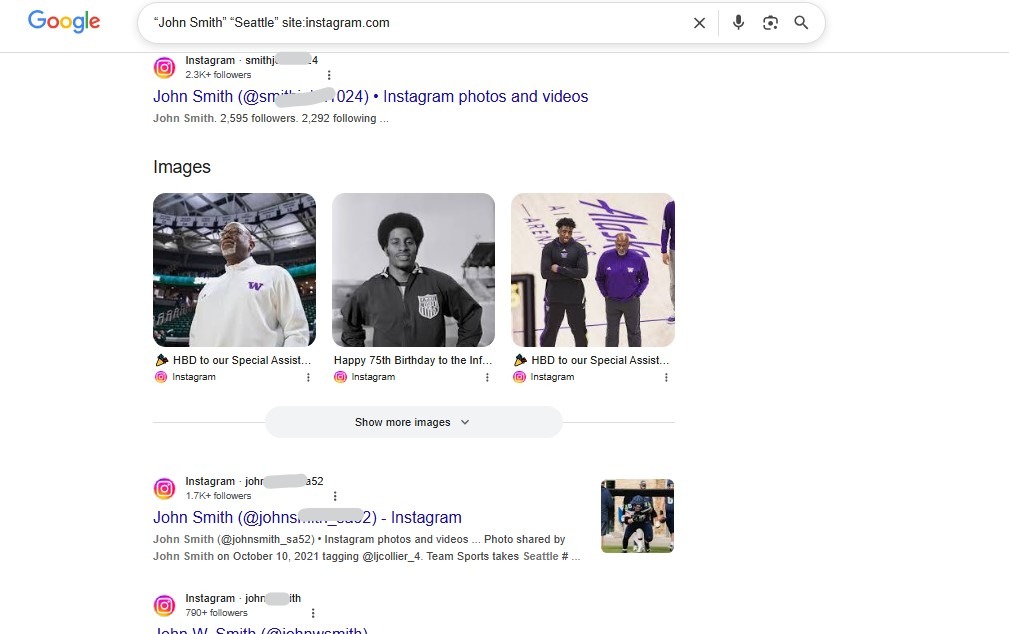
- If you have a name and city, searching on a single platform can combine potential profiles. Here’s an example: search “John Smith” “Seattle” site:instagram.com.
FAQ
How to find out if your partner has secret social media accounts?
If you are looking for your partner’s secret social media accounts, start by using the recover password feature across different platforms to see if they have accounts there. You can also use the contact sync feature to see if other social apps have them under other profiles. Also, reverse phone lookup tools like CellPhone Location can help you scout for their digital profile with ease.
Can I find social media accounts with a VoIP number?
It’s more challenging to find social media accounts linked to VoIP numbers. This is because people often use these numbers as a temporary feature or a supplementary tool. Hence, it’s not always connected to a person’s real identity. That said, they can still be used to create accounts. So, you could add them to your contacts and use the sync feature to see if it’s listed across different platforms.
Can you search social media by phone number for free?
Yes, one of the best ways to search for social media accounts by phone number for free is to use the login/recovery feature. There’s also syncing contacts and letting the social media platform suggest their profiles to you. Plus, you could always begin with a simple Google search, which is entirely free.
Conclusion
A phone number is a powerful starting point for finding someone’s social media presence online. Remember, you could increase your chances of finding them by combining multiple methods. In the end, when used correctly, you can find someone’s social media by phone number.
 English
  Portuguese