Realizar uma verificação de antecedentes de um indivíduo pode ajudá-lo a determinar quem ele é, seu nível de credibilidade e a segurança da sua própria pessoa ou profissão. A verificação de antecedentes fornece informações úteis, seja para contratar um prestador de serviços, conhecer alguém online ou verificar um potencial inquilino.
Atualmente, diversas ferramentas e bases de dados online permitem encontrar informações confiáveis em poucos minutos. O conhecimento dos procedimentos adequados mantém você atuante na área jurídica.
Entenda o que inclui uma verificação de antecedentes.
Uma verificação de antecedentes reúne informações publicamente disponíveis e obtidas legalmente sobre um indivíduo. Pode incluir registros criminais, registros de prisão, processos judiciais, verificação de identidade e histórico de endereços. Também pode incluir histórico profissional, formação acadêmica e licenças públicas. Falências, penhoras e sentenças judiciais também são algumas das informações financeiras que podem ser apresentadas.
Outras verificações abrangem contas de redes sociais, titularidade de números de telefone e contas de e-mail. Também podem revelar registro de agressor sexual, histórico de direção e propriedade de bens, dependendo da fonte. As verificações de antecedentes variam de acordo com a ferramenta, as leis estaduais e as configurações de privacidade da pessoa.
Como verificar os antecedentes de alguém?
Realizar uma pesquisa de antecedentes envolve coletar dados de diversas fontes confiáveis. Isso pode ser feito em registros públicos, mecanismos de busca de pessoas, mídias sociais e ferramentas profissionais. Todas elas fornecem diferentes tipos de dados, permitindo criar um panorama completo do histórico de alguém de forma eficiente.
Pesquisar registros públicos
Uma das fontes mais confiáveis para obter informações sobre antecedentes são os registros públicos. Órgãos governamentais os mantêm e podem divulgar informações legais, financeiras e patrimoniais. Obter esses registros ajuda a verificar a identidade de uma pessoa e a conhecer melhor seu passado.
Registros judiciais
Acusações criminais, processos judiciais, sentenças, registros de casamento e outras ações legais são documentadas nos registros do tribunal. Tais registros não são confidenciais, exceto quando legalmente sigilosos. Podem ser consultados online ou no próprio tribunal. Trata-se de um método gratuito ou de baixo custo que oferece informações autenticadas e aprovadas pelo governo.
Passos
- Acesse o site do tribunal local ou visite o próprio fórum.
- Pesquise usando o nome da pessoa, a cidade ou o número do processo.
- Analise os documentos disponíveis, incluindo processos criminais e litígios cíveis.
- Faça o download ou solicite cópias para verificação adicional, quando necessário.
Registros de propriedade e impostos
Registros de imóveis e impostos ajudam você a obter informações sobre propriedade de terras, valor de imóveis, pagamentos de impostos e transferências de propriedade. Esses detalhes revelam a estabilidade financeira e o histórico de residência. Os municípios mantêm esses registros e permitem buscas online. Eles são úteis para a seleção de inquilinos, avaliações financeiras ou para verificar o endereço de alguém.
Passos
- Visite o site do avaliador ou do escritório de impostos do condado.
- Digite o nome da pessoa ou o endereço do imóvel.
- Analise os resumos de impostos, os dados de propriedade e o histórico do imóvel.
- Utilize os documentos disponíveis para comprovar residência ou situação financeira.
Bancos de dados governamentais
Bancos de dados governamentais podem exibir licenças profissionais, registros comerciais, listas de agressores sexuais e registros de segurança pública. Esses bancos de dados são atualizados com frequência e oferecem informações confiáveis. Eles ajudam a verificar as qualificações de uma pessoa, garantir a segurança e confirmar a conformidade com as regulamentações estaduais ou federais.
Passos
- Acesse sites oficiais estaduais ou federais, como portais de consulta de licenças ou registros de infratores.
- Pesquise usando o nome completo da pessoa.
- Consulte os registros disponíveis para verificar o status da licença, detalhes do registro ou alertas de segurança.
- Guarde capturas de tela ou anotações para relatórios precisos.
Use mecanismos de busca de pessoas.
Os mecanismos de busca de pessoas coletam dados de diversas fontes públicas e os apresentam em um relatório simples. Eles economizam tempo ao combinar registros criminais, números de telefone, perfis em redes sociais e histórico de endereços. Isso os torna extremamente úteis para verificações de antecedentes rápidas e completas.
O PeopleFinder oferece relatórios de pesquisa rápidos e precisos, compilando registros públicos, informações de contato, antecedentes criminais e histórico de endereços. Possui uma interface simples e entrega resultados em segundos. Também inclui possíveis parentes, nomes alternativos e perfis de redes sociais. Isso o torna ideal para verificações de antecedentes rápidas e práticas.
Passos
- Acesse o PeopleFinder e digite o nome, a cidade ou o número de telefone da pessoa.
- Aguarde a conclusão da pesquisa.
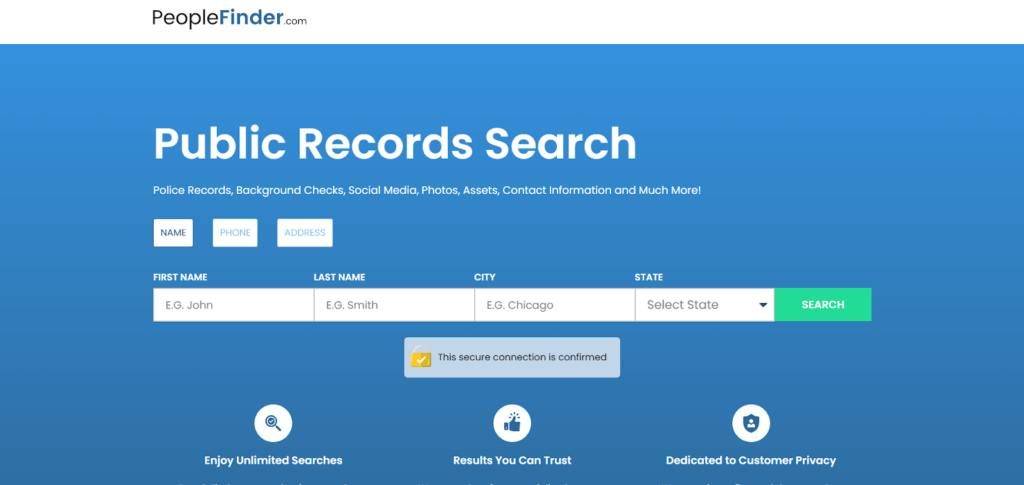
- Analise o relatório detalhado que inclui endereços, informações de contato e registros criminais ou públicos.
- Faça o download ou salve o relatório para referência futura.
A TruthFinder tem fama de ter pesquisas de fundo profundasA ferramenta permite a descoberta de antecedentes criminais, perfis em redes sociais, ativos e uso da internet. Ela se baseia em varreduras da dark web e em registros públicos sofisticados. A ferramenta é útil para conduzir investigações complexas e aprofundadas, particularmente para autenticar a identidade de uma pessoa online ou verificar ações questionáveis.
Passos
- Acesse a página de verificação de antecedentes do TruthFinder.
- Digite o nome completo e a localização da pessoa.
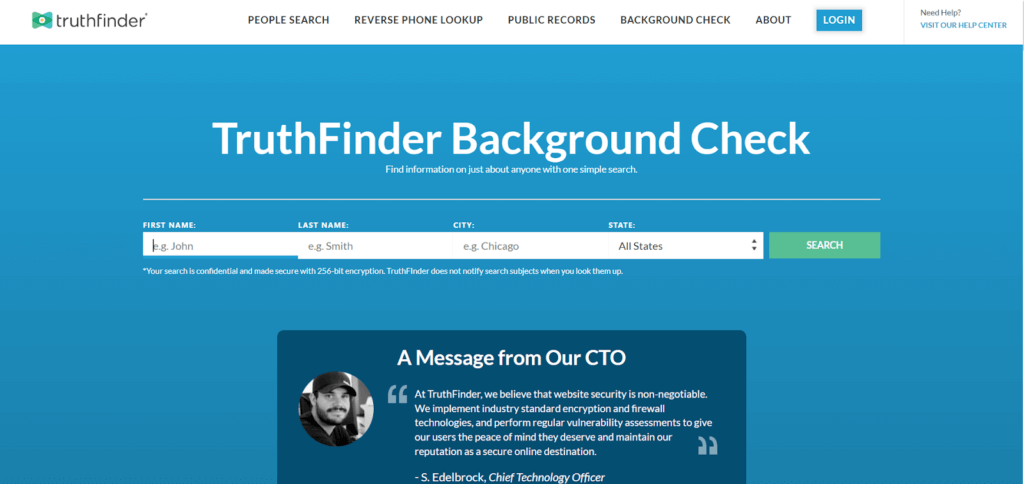
- Permita que a ferramenta analise dados públicos e online.
- Analise o relatório completo que inclui histórico criminal, perfis sociais e registros de endereço.
Verifique a presença nas redes sociais
O LinkedIn ajuda a confirmar a experiência profissional, o cargo, a formação acadêmica e as recomendações de uma pessoa. É muito eficaz para verificar a identidade profissional. Os perfis geralmente incluem histórico de emprego, contatos em comum e recomendações. Isso ajuda a confirmar se um indivíduo é real ou está fingindo ser quem diz ser.
Passos
- Acesse o LinkedIn e procure pelo nome da pessoa.

- Analise o perfil, o histórico profissional e a formação acadêmica do candidato.
- Verifique recomendações e conexões em comum.
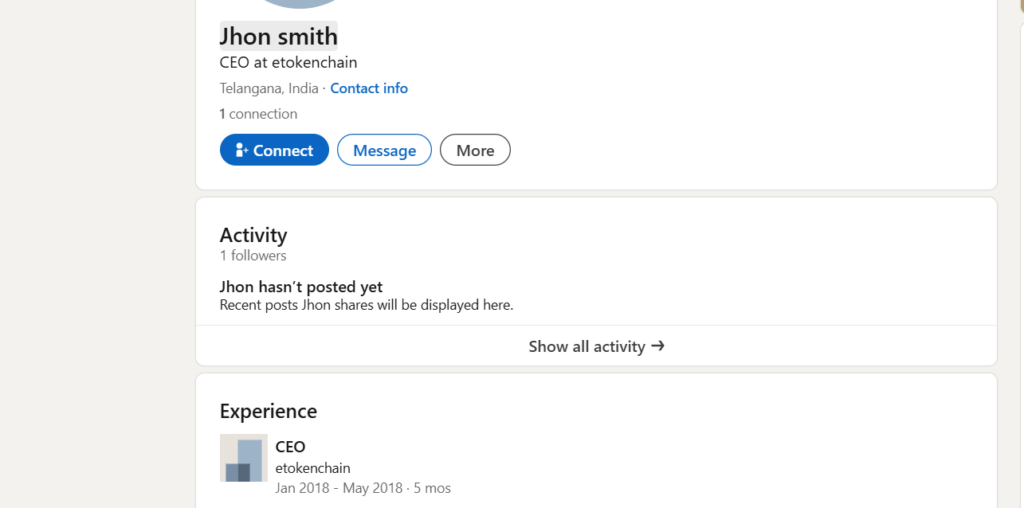
- Compare os detalhes com outras fontes para confirmar a precisão.
Verificar número de telefone
Você pode realizar uma busca reversa de telefone para saber mais sobre uma pessoa. Esse serviço é oferecido por diversos sites, como o Cellphone Location. A busca reversa de telefone do Cellphone Location pode ser usada para confirmar o nome, a área geográfica, o tipo de linha e o possível perfil em redes sociais associado a um número. Ela funciona com dados em tempo real e fornece resultados precisos sobre a propriedade do número.
Passos
- Vá para o página de pesquisa reversa de telefone.
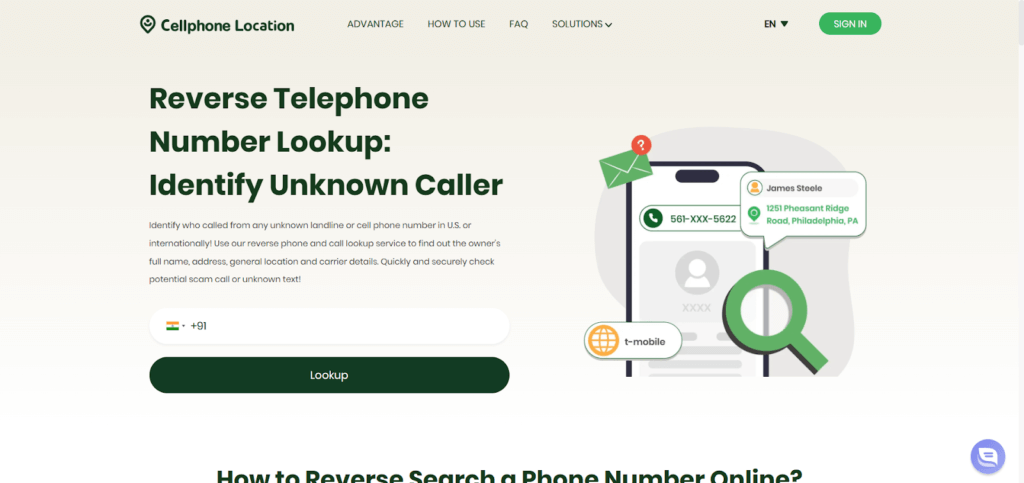
- Digite o número de telefone e inicie a busca.
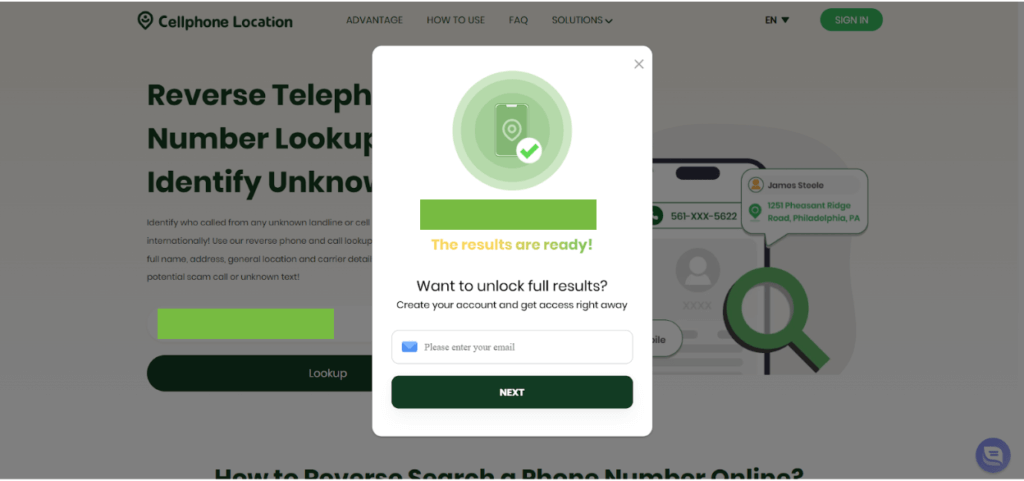
- Forneça seu endereço de e-mail para receber os detalhes.
- Analise os resultados que mostram o nome do proprietário, a localização e possíveis perfis online. Utilize as informações para verificar a identidade de forma segura.
Pesquisar por nome no Google
A busca do Google ajuda você a encontrar dados online de acesso público, como menções em notícias, publicações em redes sociais, cadastros de empresas e fotos. É grátis e rápido. Uma busca por nome pode revelar rastros digitais, que ajudam a entender a atividade de uma pessoa, sua reputação e sua presença na internet em plataformas específicas.
Passos
- Digite o nome da pessoa juntamente com palavras-chave como cidade, cargo ou empresa.
- Confira os principais resultados de pesquisa, imagens e links de notícias.

- Visite qualquer perfil ou página pública.
- Compare os resultados com outras fontes para verificar a precisão.
Solicitar relatório de crédito
Um relatório de crédito exibe a responsabilidade financeira, contas de crédito, dívidas e registros de pagamento. A análise de crédito de inquilinos ou a solicitação de empréstimo geralmente exigem esse relatório. As leis de privacidade tornam ilegal o acesso ao relatório de crédito de outra pessoa sem consentimento por escrito. Os relatórios das principais agências de crédito oferecem informações financeiras verificadas.
Passos
- Solicitar o consentimento por escrito da pessoa.
- Utilize canais autorizados, como Experian, Equifax ou TransUnion.
- Envie as informações solicitadas e aguarde o relatório.
- Analise o histórico de crédito, as dívidas e o comportamento financeiro.
Utilize um serviço profissional de verificação de antecedentes.
Conferente Facilita a obtenção de verificações de antecedentes de nível profissional, como as utilizadas por empregadores e empresas. Fornece histórico criminal, verificação de emprego, verificação de histórico de condução e verificação de identidade. O Checkr está em total conformidade com as normas, sendo, portanto, adequado para processos de contratação, seleção de pessoal e em setores regulamentados que exigem informações verificadas.
Passos
- Acesse a página de verificação de antecedentes da Checkr.
- Escolha o tipo de exame que você precisa.
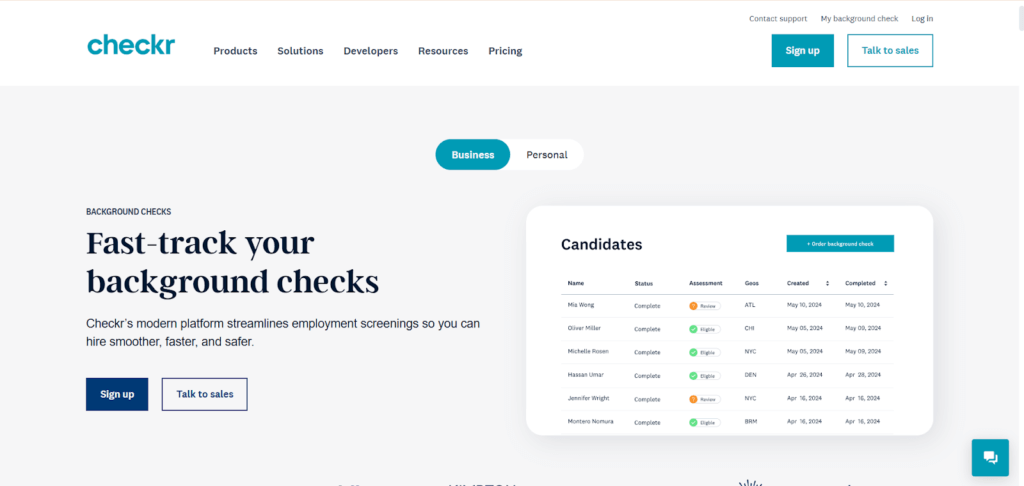
- Envie os dados pessoais solicitados com o seu consentimento.
- Aguarde o relatório verificado que abrange antecedentes criminais, registros de emprego e identidade.
É legal fazer uma verificação de antecedentes?
A verificação de antecedentes é uma atividade legal, desde que você cumpra as leis federais e estaduais. A Lei de Relatórios de Crédito Justos (FCRA) regula a forma como as informações de antecedentes podem ser coletadas e utilizadas.
Caso esteja verificando os antecedentes de uma pessoa para fins de emprego, moradia ou concessão de crédito, você deve obter o consentimento por escrito dela. A verificação de antecedentes não pode ser usada para perseguir, assediar ou discriminar.
Consultas individuais baseadas em documentos públicos ou sites de busca de pessoas são permitidas; no entanto, você não deve abusar dos dados. Certifique-se sempre de que o processo utilizado esteja em conformidade com a lei e não viole a privacidade.
Perguntas frequentes
- Como eu faço realizar uma verificação de antecedentes Anonimamente?
Use mecanismos de busca de pessoas ou o Google sem fazer login. Esses métodos não notificam a pessoa e mantêm sua identidade privada.
- Quanto custa para Realizar uma verificação de antecedentes?
Os custos variam desde pesquisas públicas gratuitas até ferramentas profissionais pagas. As pesquisas básicas custam de $1 a $10, enquanto os relatórios completos de antecedentes variam de $20 a $50.
- Posso fazer minha própria verificação de antecedentes online?
Sim. Existem registros públicos, mecanismos de busca de pessoas e mídias sociais que permitem que você faça sua própria verificação de antecedentes com facilidade, no conforto da sua casa.
Conclusão
Realizar uma verificação de antecedentes o manterá atualizado e seguro ao conhecer novas pessoas. Através de ferramentas online, é muito fácil verificar a identidade, a reputação e o histórico de alguém, com acesso a registros e aos serviços de profissionais. Sempre siga as diretrizes legais e utilize fontes confiáveis. Uma verificação de antecedentes bem feita proporciona transparência, segurança e tranquilidade.
 Portuguese
  English